For recording studios and producers

Rooms, people, projects and invoices. The whole studio in one place.

One app instead of a calendar, a cloud folder, a chat and an invoice template. Clients reach the recordings through a link, install nothing and write their notes straight into the song.

No payment cardFirst project in a minuteClients need no account
New comment on the mix "Vocal too distant, bring it closer" 0:28 · Anna Weiss

From the inquiry to the invoice without retyping

Every step builds on the previous one: the booking knows the project, the project knows the client, and the hours worked know the rate of the service.

  1. Inquiry A client finds you among the services or writes from your page.
  2. Booking A slot in a room with an engineer; Google Calendar knows too.
  3. Project All versions of the songs in one place, the client joins through a link.
  4. Comments The client clicks into the waveform, you tick the notes off.
  5. Invoice From the hours by service, a PDF with its own number series.
Scheduler of rooms and people

Who, where and on what. On one screen.

Control rooms, live rooms, a big hall. Every booking has a room, an engineer and a project, so you see a clash before it happens. One click shows a single room or a single person.

  • Month, week and day; overlapping rooms are visible at once
  • Two-way sync with Google Calendar
  • Booking requests from your page, you confirm them

From the Studio plan
Projects with clients

An album as a project. The client joins through a link.

Every song has its versions, the newest on top. Send the client a link and they listen right away, without an account or a password. One link for the whole band, an e-mail invitation for the people who decide.

  • MP3, M4A, WAV and FLAC; plays on an iPhone too
  • Projects are never visible in the catalog

In every plan

Comments to the second

"The bass is too loud at 2:14." And you know where to reach.

The client clicks straight into the waveform and writes, or marks a section of the song. Comments stay with the version they belong to, so nobody argues whether it was the third or the fourth mix. You tick off what you have fixed.

  • Compare versions with one click
  • Works on the client's phone too

In every plan, Free included

Time and invoices

Time worked and invoices from the same place

Hours worked by service and rate, clients with their billing details and the invoice in one place. What the studio already knows about a job, you never type in again.

  • A stopwatch or manual entries
  • Your own rates and a discount per project
  • A PDF with your number series, VAT payer or not

From the Studio plan

Home page

You know what is coming in the morning

Projects in progress, unread comments and the latest client activity. On a computer and in the app for iPhone and Android.

Customers

A client, their projects and billing details

Contacts with labels, company and tax numbers for invoices and all the client's projects together. No spreadsheet on the side.

Price list of services

A service with a price and a room

Recording, mixing, mastering, rehearsal. The rate applies to time and invoices, and if you want, clients see it in the catalog.

Clients find you even when they do not know you

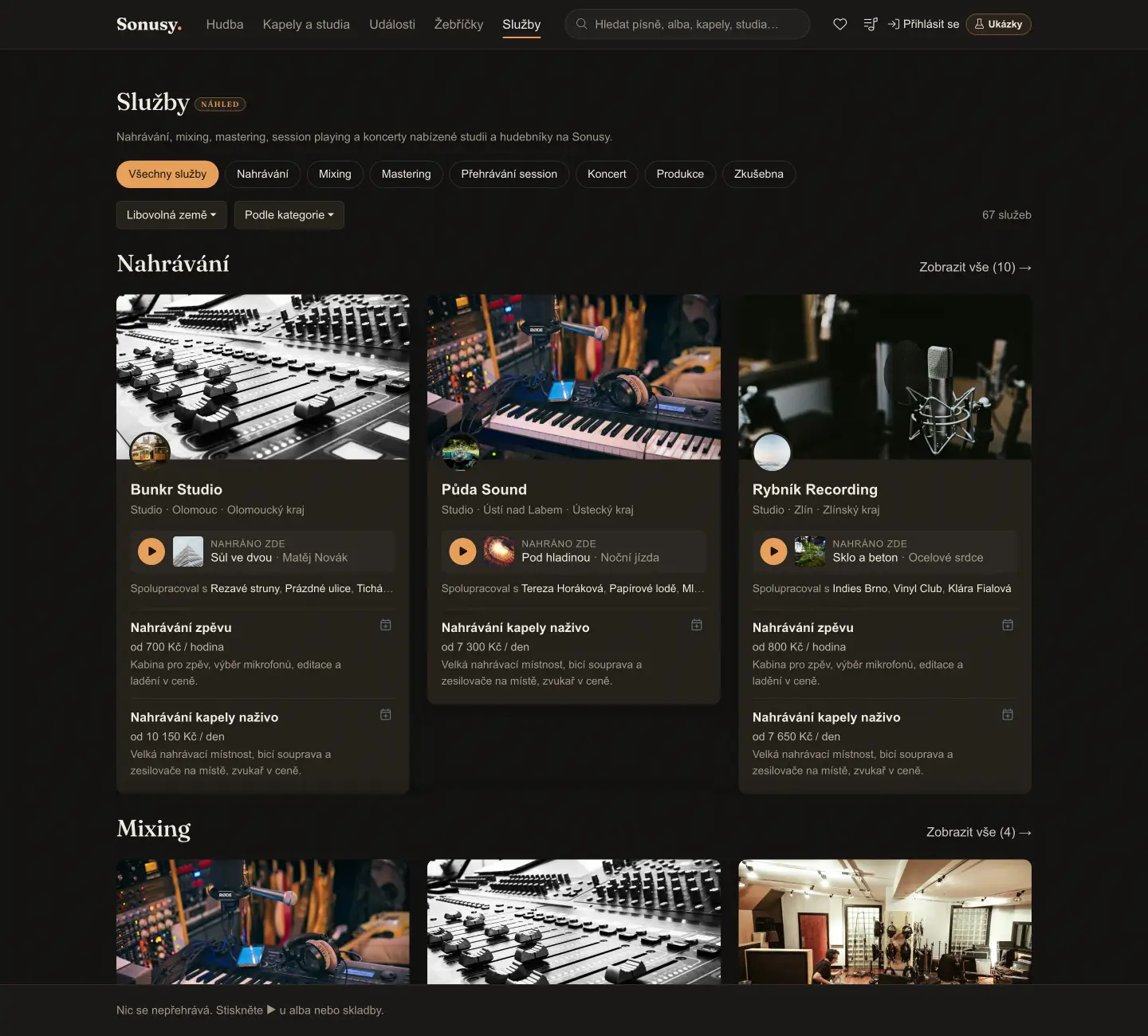
Your services with prices appear in the Sonusy catalog by town. A band looking for recording in your region finds you and writes to you directly, through the inquiry form on your page. On top of that you get a studio page at name.sonusy.com, on your own domain in the Studio plan.

Do not want to be in the catalog? Switch off your profile, music and events separately and keep using the tools.

Services marketplace in the Sonusy catalog
For producers, mixing engineers and podcasters

Working alone? Start for free.

Projects with clients, comments in the waveform and sharing through a link cost nothing on Free. When you want to track time, issue invoices or plan sessions, you switch to Studio right in the app and nothing has to be moved.

Start on Free

Rooms where recording already happens

All studios
Pricing for studios and producers

You pay for the studio, not per person

One price for the whole workspace. Team members, clients and guests in projects are included; you pay only for rooms, storage and tools.

Free
Freefor good
1rooms
1people
100 MBstorage
  • Projects: 100
  • Shop: 1 products, fee 15 %
  • Messages
  • Comments in the waveform
  • Public website
  • Shop
Start for free

No payment card needed

StudioRecommended
€20per month
3rooms
5people
200 GBstorage
  • Everything in the Free plan, plus:
  • Projects: 500
  • Shop: unlimited products, fee 5 %
  • Scheduler
  • Tasks
  • Equipment
  • Invoicing
  • Custom domain
  • Time tracking
  • Google Calendar
  • Website subpages
  • Events and courses
  • Own e-mail server
  • Bookings
Start for free

After trying it out, you switch to a paid tier

Studio Max
€99per month
20rooms
20people
2 TBstorage
  • Everything in the Studio plan, plus:
  • Projects: 1000
  • Shop: unlimited products, fee 0 %
Start for free

After trying it out, you switch to a paid tier

You start on Free and switch in the app any time; your data stays. Prices are final, no VAT is added.

Are you a band? Bands have their own plans: pricing for bands →

What studios ask

Did not find the answer? Write to ahoj@sonusy.com; the person who builds the app answers.

PChPetr Chovanecco-founder · studios and sales
ODOndřej Dobečkaco-founder · product and development
Comparing tools for managing a studio: Sonusy, Sonido, AudioDope and Dropbox →
Does the client have to register?
No. Send them a link to the project and they listen right away, without an account. When they want to write a comment, they sign in, or you allow entry with just a name on the link. You can invite the people who decide by e-mail.
Where are the files stored and how much space is there?
In Cloudflare R2 cloud storage. The space depends on the plan (see the pricing above). We accept MP3, M4A, WAV and FLAC, plus photos, videos and documents.
Can it be connected to Google Calendar?
Yes, from the Studio plan and in both directions. A booking saved in Sonusy appears in Google right away; changes from Google are loaded about every 10 minutes. The owner or an administrator of the studio switches the connection on.
Can I use Sonusy only as a studio tool, without the catalog?
Yes. In the workspace settings you switch off your profile, music and events in the catalog separately. Projects with clients are never visible in the catalog.
How do invoices and VAT work?
In the settings you fill in whether you are a VAT payer and at what rate, and whether you enter prices with or without tax. The invoice has your number series, due date and bank account, and you download it as a PDF.

Try it with your own studio.

In a minute you have your studio and the first project to send a client. The page in the catalog and the scheduler come when you want them.

Nothing is playing. Press ▶ on an album or a song.
Something went wrong. Please reload the page. Reload ✕