Studio guide · updated July 2026
How to Manage a Recording Studio: Tools Compared for 2026
Session planning, recording versions, client feedback, and invoicing. We compared the tools that handle these tasks — Sonusy, Sonido, AudioDope, and the most widely used “tool” of all: Dropbox combined with WhatsApp. All of them work regardless of where your studio is based.
Before you start reading
We prepared this comparison as the creators of Sonusy. We are therefore not completely impartial — instead of pretending otherwise, we chose to be as transparent as possible. Our column is visually distinguished, for each product we explain who may be better served by it than by Sonusy, and we link directly to the other providers.
All information comes from publicly available sources and official pricing pages. It was last checked in July 2026. If you find an error or something has changed, please contact us and we will correct it.
Quick overview
The comparison in one table.
Sonido and AudioDope are established international studio-management systems. Sonusy is a newer alternative with a free plan, while Dropbox and WhatsApp represent the default workflow used by many studios without specialised software. Details for each row are explained in the profiles below.
| Sonusy | Sonido | AudioDope | Dropbox + WhatsApp | |
|---|---|---|---|---|
| Focus | Complete studio operation | Studio management — CRM, scheduling, finance | Session booking and file delivery | General storage and chat |
| In-audio comments | tied to recording regions | higher plan only | file comments | outside the recording |
| Session scheduling | rooms and engineers | one room on the basic plan | online booking | requires another app |
| Time and invoicing | timer + PDF invoices | higher plan only | invoices and payments | |
| Equipment records | not listed | assigned to a session | ||
| Public profile | full studio page | booking form only | directory profile | |
| Free client workspace | including own profile | client is a guest only | client is a guest only | shared folders |
| Free plan | forever, no card | demo on request only | trial period only | 2 GB |
| Interface language | Czech and English | English only | English only | |
| Price from | free | $29/month* | about $30/month** | free |
* Sonido has no free plan; the $29 plan supports one user and one active project, while the full feature set costs $99/month. Source: mysonido.com pricing, July 2026.
** AudioDope does not publish pricing on its website; the approximate figure comes from Capterra and SourceForge, July 2026. If anything has changed, let us know and we will correct it.
Tool by tool
Strengths and weaknesses.
Sonido
Strengths: an established platform with a long history, strong inquiry management, online booking with deposits directly from a studio website, and financial reporting. It is used by large US studios and audio schools.
Weaknesses: English only, with no free plan. The $29 plan is limited to one user and one active project; file feedback, multiple rooms, and time tracking are available only on the $99/month plan. You cannot create an account immediately — the process starts with a sales meeting.
Best for: an English-speaking studio handling a high volume of inquiries and bookings.
AudioDope
Strengths: straightforward online session booking, staff management, client file delivery, invoices, and payments. It also connects studios within its platform.
Weaknesses: English only, no free plan, and the price is not published on its website — the approximate $30/month figure comes from software directories such as Capterra and SourceForge. It offers fewer features for managing the production project itself.
Best for: a smaller international studio focused mainly on booking and delivering finished files.
Sonusy
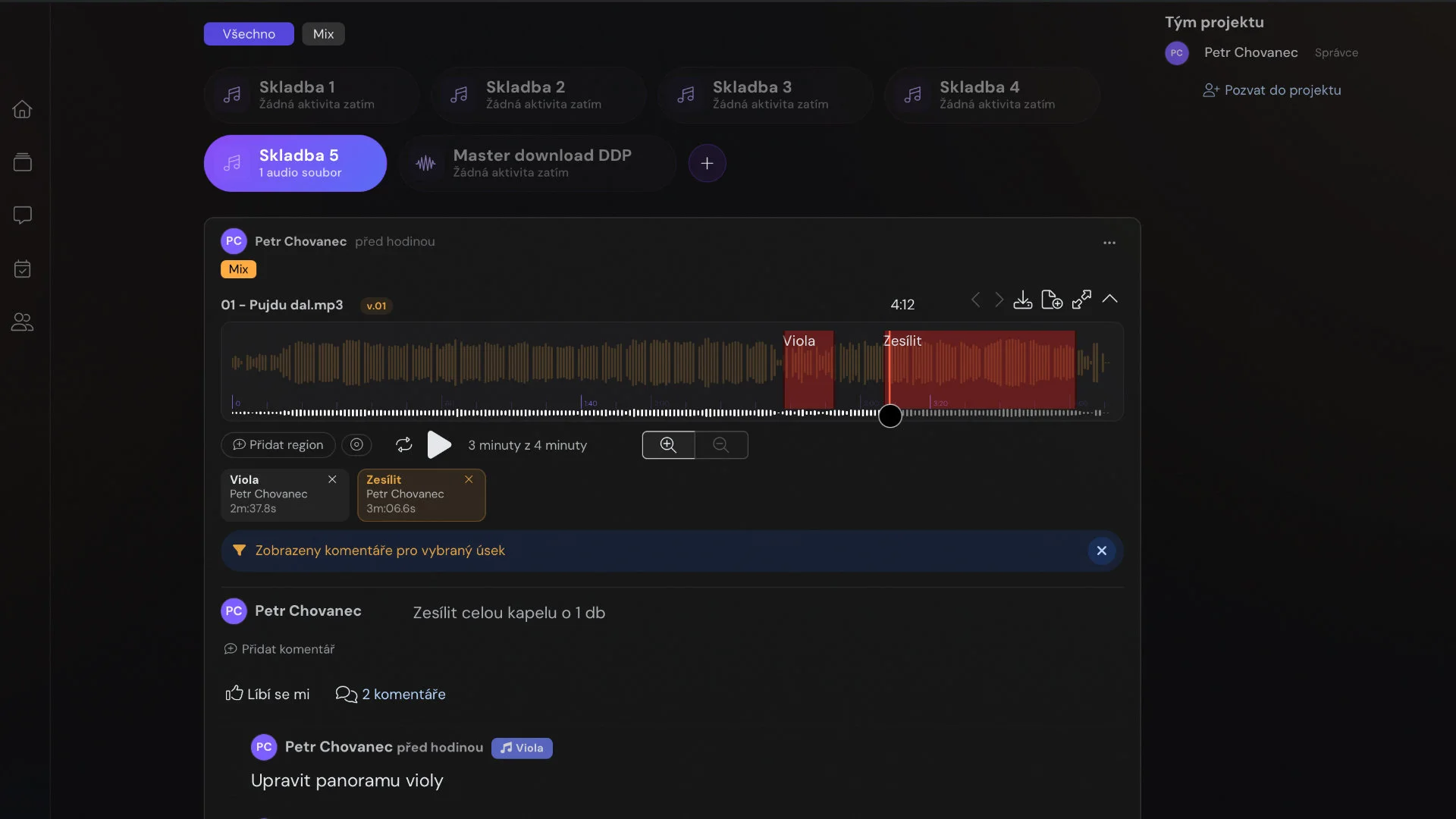
Strengths: covers the entire studio operation in one system — comments tied to exact regions of a recording, a project timeline, room- and engineer-based scheduling, equipment records, time tracking, and invoicing. It is the only compared platform with a free plan that requires no payment card; clients and bands also receive their own free workspace instead of a guest link.
Weaknesses: it has a shorter track record than the longest-established US competitors. Inquiry management is currently simpler than in Sonido, and a native mobile app is still in development; all features are available in a mobile browser. Support is provided directly by the developers during Central European business hours.
Best for: recording studios, bands, and independent producers of any size and in any country.
Dropbox + WhatsApp
Strengths: free, familiar to everyone, and requiring no training. Fully sufficient for a small amount of work.
Weaknesses: feedback lives outside the recording, versions get lost in filenames such as ‘final_v7’, scheduling and invoicing are handled elsewhere, and clients cannot see the project status. As the number of concurrent projects grows, so does the time spent searching for information.
Best for: a studio handling one or two jobs per month. Honestly, at that volume you probably do not need a specialised platform.
Before choosing
Four things to establish regardless of the tool.
The most common mistake is buying software for a problem that is actually organisational. The following process works with Dropbox just as well as with a specialised application, and you can introduce it in a single afternoon.
- 01
Use version numbers, not status words
Status changes; a number does not. Use a format such as Artist_Song_stage_v01.wav, never reduce the version number, and avoid the word “final” — statistically, it is usually followed by “final2”. Start with two digits so v05 sorts correctly before v12.
- 02
Agree on revision rounds in advance
Add one sentence to your quote: “The price includes two revision rounds; each additional round is billed at the hourly rate.” Explain that one round means one consolidated list of comments, not one individual message, and that correcting an error on your side does not count as a revision.
- 03
Collect feedback in one batch
One version, one list. Ask the client to listen to the full recording and send all comments together; otherwise you implement them gradually and the result drifts. Teach a time + what + why format: instead of “the vocal sounds strange”, use “0:42–1:05, the vocal gets lost beneath the guitars”.
- 04
Keep communication in one channel
The exact channel matters less than having one channel and telling the client in advance. Without a clear “send feedback here, not elsewhere”, even the best platform becomes only one of four communication paths while the rest continues through chat.
When this is enough
If you handle one or two jobs per month and feedback comes from one person, you do not need to introduce any software — you can keep the whole situation in your head. A specialised platform begins to pay off when at least two of these three conditions apply: you have three or more projects running concurrently, two or more people comment on one recording, or you return to older projects months later and need to find what was agreed.
In practice, points 3 and 4 are the hardest to maintain. The client has to write down the time manually, and you have to trust that the timestamp is accurate. This is exactly the part specialised tools handle for you. The comparison above shows which ones are worth considering.
Decision shortcut
Choose according to your situation.
| Your situation | Sensible choice |
|---|---|
| You want one system for the entire studio and to start free, with no payment card | Sonusy |
| You mainly handle a large volume of inquiries and online bookings with deposits | Sonido |
| You mainly need session booking and delivery of finished files | AudioDope |
| One or two jobs per month with simple communication | Dropbox + WhatsApp — do not buy anything yet |
| You only need recording feedback, not studio operations | Specialised tools such as Filepass or Highnote |
Frequently asked questions
Before you decide.
Why trust a comparison written by the maker of one of the tools?
We are not impartial, and we say so openly. Our column is visually distinguished, we explain who may be better served by each alternative, and we link directly to every provider. The data comes from official pricing pages checked in July 2026.
When are Dropbox and WhatsApp enough?
For one or two jobs per month with simple communication, specialised software is usually unnecessary. It starts to pay off when several projects run at once, several people provide feedback, or you regularly return to older work.
Are there other tools not included in the table?
Yes. If you only need recording feedback, specialised tools such as Filepass or Highnote are worth considering. This comparison focuses mainly on running the studio as a whole.
Is Sonusy only for Czech and Slovak studios?
No. Sonusy can be used anywhere and its interface is available in both Czech and English. Czech and Slovak users additionally benefit from direct support in the Central European time zone.
How current is the information?
The information comes from official pricing pages and was checked in July 2026. AudioDope does not publish its price publicly, so that figure comes from the Capterra and SourceForge software directories. Please contact us if you notice a change or an error.
In conclusion
Would you like to try Sonusy?
You can try Sonusy free of charge and without a payment card. If another tool in this comparison suits you better, we will still be glad if this guide helped you choose a solution that matches the way your studio works.
Try Sonusy free →